Free Educational Games for Kids to Play Online
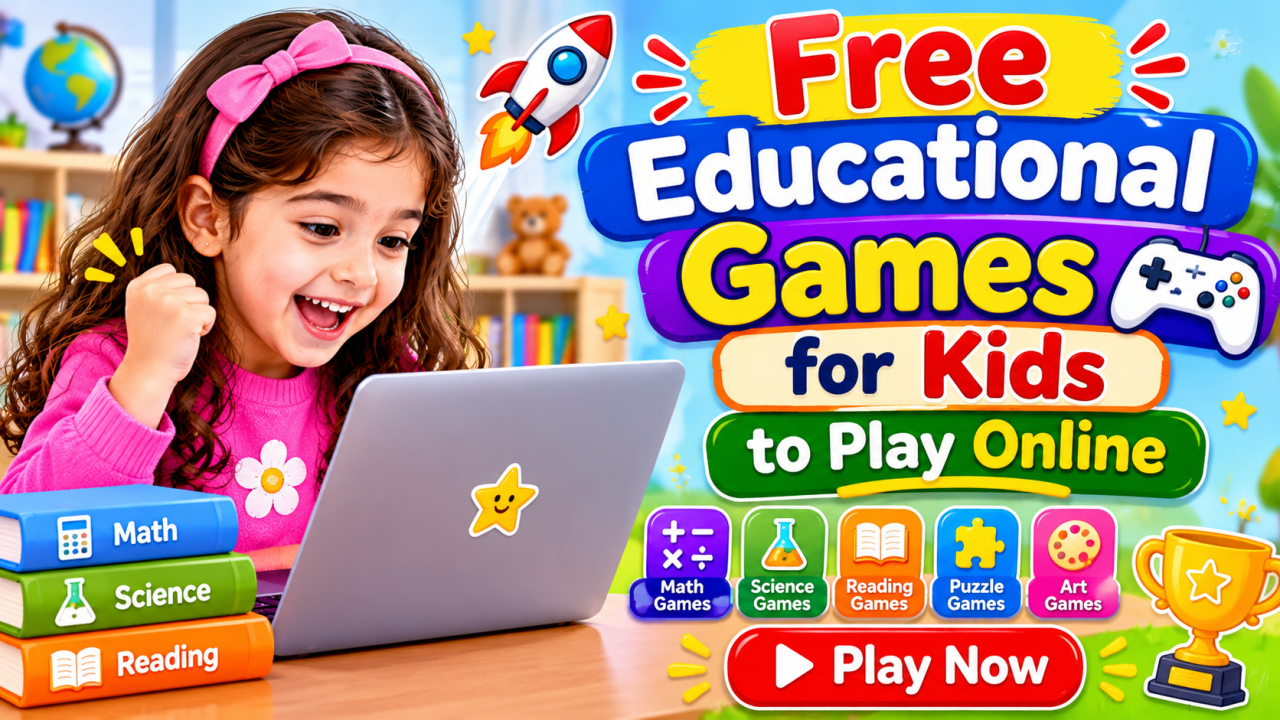
Discover free educational games for kids to play online. Explore fun math, reading, spelling, memory, logic, and puzzle games that make learning enjoyable for preschool and elementary students.
Free Educational Games for Kids to Play Online
Children love playing games, especially when they can explore colourful pictures, solve puzzles, earn points, and complete exciting challenges. But games can offer more than entertainment. The right activities can also help children practise important skills and discover new ideas.
Free educational games for kids make learning more interactive by combining play with subjects such as mathematics, English, reading, science, and logical reasoning.
Instead of answering questions on a traditional worksheet, children can solve a maths puzzle, match letters with sounds, remember picture sequences, or complete a word challenge. These activities encourage children to think, make decisions, and learn through practice.
Online learning games are also convenient for parents and teachers. Many can be played directly in a web browser without purchasing a physical game or installing additional software.
However, not every online game provides meaningful learning. Some games are designed mainly for entertainment, while others offer activities that support specific educational goals.
In this guide, you will discover different types of free educational games, their learning benefits, age-appropriate game ideas, and practical ways to include online games in a child's routine.
Worksheets & Activities
What Are Free Educational Games for Kids?
Free educational games are digital activities designed to combine entertainment with learning.
They may include questions, puzzles, matching exercises, memory challenges, quizzes, and interactive activities that help children practise different skills.
For example:
- A counting game asks children to count objects and select the correct number.
- A phonics game helps children connect letters with their sounds.
- A memory game challenges children to remember the location of matching pictures.
- A spelling game encourages children to arrange letters into words.
- A logic puzzle asks children to identify patterns and solve problems.
These games can be played on compatible computers, laptops, tablets, and smartphones.
Some games are designed for individual practice, while others encourage children to play with parents, teachers, or classmates.
The best educational games have clear instructions, age-appropriate challenges, and learning activities that children can understand without constant assistance.
Benefits of Educational Games for Children
Educational games can make practice more engaging by allowing children to interact with what they are learning.
Here are some important benefits.
1. Make Learning More Enjoyable
Children may lose interest when they repeatedly practise the same activity.
Games introduce variety through challenges, colourful visuals, sounds, and interactive tasks.
For example, a child who finds number practice boring may enjoy counting objects in a game where each correct answer helps complete a challenge.
The learning goal remains the same, but the activity feels more playful.
2. Improve Problem-Solving Skills
Many educational games require children to think before selecting an answer.
They may need to:
- Identify a pattern.
- Compare different options.
- Find a missing number.
- Match related pictures.
- Complete a sequence.
- Choose the correct solution.
These activities encourage children to consider different possibilities and learn from their attempts.
3. Support Memory and Concentration
Memory games and matching activities encourage children to remember information and pay attention to details.
For example, a picture-matching game may show several cards for a few seconds before hiding them.
Children then try to remember where matching pictures are located.
Such activities provide opportunities to practise remembering visual information and following instructions.
4. Build Confidence Through Practice
Children may feel more comfortable trying new questions when mistakes are treated as part of the learning process.
Many educational games provide immediate feedback, allowing children to see whether an answer is correct and try again when necessary.
This can make practice feel less intimidating.
Parents should still encourage children to understand why an answer is correct rather than focusing only on scores.
5. Encourage Independent Learning
Simple browser-based games allow children to explore activities at their own pace.
They can read instructions, choose answers, solve challenges, and repeat activities when they need more practice.
Younger children may need adult guidance, but older children can often complete familiar games independently.
6. Reinforce School Learning
Educational games can provide additional practice for topics children are studying at school.
For example:
| School Topic | Suggested Online Game |
|---|---|
| Counting | Number counting games |
| Addition | Addition challenges |
| Multiplication | Times table games |
| Phonics | Letter sound games |
| Vocabulary | Word matching games |
| Reading | Reading comprehension quizzes |
| Science | Animal and nature quizzes |
| Logical thinking | Pattern and sequence puzzles |
Games work best as a supplement to lessons, books, worksheets, and practical activities.
Best Types of Free Educational Games for Kids
Different games develop different skills. A balanced collection should include activities from several learning areas.
Here are some popular categories to explore.
1. Free Math Games for Kids
Math games help children practise numbers, calculations, patterns, and mathematical reasoning.
They are especially useful for turning repeated practice into short interactive challenges.
Popular math game ideas include:
- Number recognition games
- Counting objects
- Addition and subtraction games
- Number comparison
- Greater than and less than challenges
- Multiplication table games
- Division puzzles
- Fractions games
- Missing number puzzles
- Math word problems
Example: Number Challenge
A game displays three apples and asks:
"How many apples can you see?"
The child selects the number 3 from several choices.
For older children, the same game format can introduce addition:
"There are 4 apples in one basket and 3 in another. How many apples are there altogether?"
The child must calculate 4 + 3 to find the answer.
Skills practised: Counting, number recognition, addition, calculation, and mathematical thinking.
2. Alphabet and Phonics Games
Alphabet and phonics games help young children recognise letters and understand the sounds associated with them.
They can be particularly useful during preschool and kindergarten learning.
Popular alphabet and phonics games include:
- Letter recognition games
- Uppercase and lowercase matching
- Beginning sound activities
- Ending sound challenges
- Alphabet ordering
- CVC word games
- Rhyming word matching
- Letter-to-picture matching
Example: Find the Beginning Sound
A game displays a picture of a ball.
The child sees three letters:
- B
- M
- S
They must choose the letter that represents the beginning sound in "ball".
This helps children connect spoken words with written letters.
Skills practised: Alphabet recognition, phonemic awareness, letter sounds, and early reading readiness.
3. Reading Games for Kids
Reading games introduce children to words, sentences, and short passages through interactive activities.
Instead of simply reading a list of words, children can complete challenges that test their understanding.
Popular reading game ideas include:
- Word-picture matching
- Sight word recognition
- Sentence completion
- Vocabulary quizzes
- Story sequencing
- Reading comprehension challenges
- Word meaning games
- Sentence ordering
Example: Choose the Correct Word
A game displays the sentence:
"The bird can ___."
Children choose from:
- Fly
- Swim
- Drive
They select the word that completes the sentence meaningfully.
Older children can play games involving short stories and comprehension questions.
Skills practised: Vocabulary, reading fluency, sentence understanding, and comprehension.
4. Spelling and Word Games
Spelling games encourage children to recognise letters, arrange words, and improve their vocabulary.
They can be adjusted for different age groups.
Popular spelling games include:
- Arrange the letters
- Complete the missing letters
- Word-picture matching
- Unscramble the word
- Choose the correct spelling
- Rhyming word challenges
- Simple word searches
Example: Unscramble the Word
Arrange these letters to make the name of an animal:
T – A – C
Answer: CAT
For older children, use longer words and sentences.
Skills practised: Spelling, vocabulary, letter recognition, and word formation.
5. Memory Games for Children
Memory games are simple activities that encourage children to remember pictures, symbols, numbers, or patterns.
They are often easy to understand and can be played in short sessions.
Popular memory game ideas include:
- Matching picture cards
- Remember the object
- Number sequence memory
- Find the matching pair
- Remember the colour pattern
- Picture observation challenges
Example: Remember the Pictures
Show a child four pictures:
- Apple
- Ball
- Cat
- Sun
Hide the pictures and ask the child to identify which objects were shown.
You can increase the difficulty by adding more pictures or changing their positions.
Skills practised: Visual recall, observation, attention, and concentration.
6. Logic and Puzzle Games
Logic games encourage children to look for relationships, identify patterns, and solve challenges.
They are suitable for children who enjoy thinking games and problem-solving activities.
Popular logic game ideas include:
- Number sequence puzzles
- Shape patterns
- Odd one out
- Picture matching
- Simple mazes
- Missing object challenges
- Sudoku for children
- Visual reasoning puzzles
- Shape arrangement games
Example: Complete the Pattern
Find the missing number:
2, 4, 6, 8, ___
Answer: 10
The numbers increase by 2 each time.
For younger children, use pictures and colours instead of numbers.
Skills practised: Logical reasoning, pattern recognition, observation, and problem-solving.
7. Science and General Knowledge Games
Science games help children explore topics related to nature, animals, the human body, weather, and the environment.
General knowledge games introduce facts about everyday life and the world around them.
Popular game ideas include:
- Animal and habitat matching
- Parts of a plant
- Human body quizzes
- Weather identification
- Living and non-living things
- Solar system questions
- Food group matching
- Environmental awareness quizzes
- Countries and geography challenges
Example: Match the Animal to Its Home
Match each animal with the correct home:
- Bird – Nest
- Lion – Den
- Bee – Hive
- Rabbit – Burrow
Children can learn new information while completing a matching challenge.
Skills practised: Observation, classification, science knowledge, and general awareness.
Free Educational Games for Kids by Age
A good educational game should match a child's current abilities.
Younger children usually need simple visuals and clear instructions, while older children can handle more detailed challenges and multiple steps.
Use the following age guide as a starting point. Individual interests and development levels vary, so adjust the difficulty when needed.
Educational Games for Ages 2–3
Children aged two to three are beginning to recognise familiar objects, colours, shapes, and sounds.
Games should be simple and ideally played with an adult.
Suitable game ideas:
- Colour matching
- Shape identification
- Animal picture recognition
- Object matching
- Big and small sorting
- Simple sound recognition
- Picture naming games
Example: Show a red ball and a blue ball. Ask the child to find the red one.
Keep activities short and focus on interaction rather than scores.
Educational Games for Ages 3–4
Children in this age group may begin recognising letters, numbers, and basic patterns.
Suitable game ideas:
- Alphabet matching
- Number recognition
- Counting objects
- Shape puzzles
- Colour sorting
- Picture matching
- Beginning sound games
- Simple memory challenges
Example: Display five stars and ask the child to count them.
Use large images, familiar objects, and simple instructions.
Educational Games for Ages 4–5
Children aged four to five are often developing early reading and mathematical skills.
Suitable game ideas:
- Alphabet ordering
- Letter sound games
- CVC word matching
- Counting to 20
- Missing number puzzles
- Simple addition
- Shape patterns
- Picture sequencing
Example: Show the letters C, A, and T and ask the child to arrange them into a word.
Educational Games for Ages 5–6
Children in this age group may be ready for more structured activities.
Suitable game ideas:
- Addition and subtraction
- Number comparison
- Sight word recognition
- Spelling simple words
- Reading short sentences
- Number patterns
- Basic measurement games
- Visual logic puzzles
Example: Ask the child to solve 6 + 4 by choosing the correct answer from three options.
Educational Games for Ages 6–8
Children aged six to eight can often manage more detailed instructions and subject-based challenges.
Suitable game ideas:
- Addition and subtraction within 100
- Multiplication tables
- Division basics
- Word problems
- Reading comprehension
- Grammar quizzes
- Vocabulary games
- Fractions introduction
- Logical reasoning puzzles
Example: A multiplication game asks children to solve 4 × 5 before moving to the next level.
Educational Games for Ages 8–10
Older children can explore more challenging activities that require planning and reasoning.
Suitable game ideas:
- Multiplication and division challenges
- Fractions and decimals
- Multi-step math puzzles
- Spelling challenges
- Reading comprehension quizzes
- Grammar games
- Science quizzes
- Geography games
- Advanced pattern puzzles
Example: Ask children to solve a word problem involving multiplication and addition.
Educational Games for Ages 10–12
Children aged ten to twelve may enjoy games that combine several skills.
Suitable game ideas:
- Fractions, decimals, and percentages
- Basic algebra puzzles
- Geometry challenges
- Vocabulary and grammar quizzes
- Science knowledge games
- Geography challenges
- Strategy puzzles
- Logical reasoning games
- Critical thinking activities
Example: A percentage game asks children to calculate 25% of 80.
The answer is 20.
Choose games that encourage children to understand the solution rather than simply guess until they reach the next level.
Free Educational Games for Kids by Grade
Age-based recommendations are useful, but grade-level games can help parents and teachers connect online activities with school learning.
The following suggestions are general. School curricula and grade expectations may vary between educational boards and countries.
Preschool Games
Preschool games introduce children to early concepts through simple interactions.
Recommended activities:
- Colour recognition
- Shape matching
- Animal identification
- Picture puzzles
- Object sorting
- Basic counting
- Sound recognition
Learning focus: Early observation, language development, and number awareness.
Kindergarten Games
Kindergarten games support early literacy and numeracy.
Recommended activities:
- Alphabet recognition
- Phonics games
- Number recognition
- Counting objects
- Addition basics
- Shape patterns
- CVC word matching
- Simple memory games
Learning focus: School readiness, early reading, and foundational maths.
Grade 1 Games
Grade 1 students can practise basic calculations and reading skills through interactive challenges.
Recommended activities:
- Addition and subtraction
- Number bonds
- Greater than and less than
- Place value basics
- Sight words
- Sentence building
- Spelling games
- Reading comprehension
Learning focus: Strengthening foundational academic skills.
Grade 2 Games
Grade 2 games can introduce more complex calculations and language tasks.
Recommended activities:
- Two-digit addition and subtraction
- Multiplication introduction
- Skip counting
- Division basics
- Grammar quizzes
- Vocabulary challenges
- Reading passages
- Measurement games
Learning focus: Calculation skills, reading fluency, and language development.
Grade 3 Games
Grade 3 students can explore activities that involve more reasoning.
Recommended activities:
- Multiplication tables
- Division practice
- Fractions
- Word problems
- Reading comprehension
- Parts of speech
- Science quizzes
- Logical puzzles
Learning focus: Problem-solving, comprehension, and subject knowledge.
Grade 4 Games
Grade 4 games can provide additional practice with more advanced elementary topics.
Recommended activities:
- Multi-digit multiplication
- Long division
- Fractions and decimals
- Factors and multiples
- Geometry
- Grammar and vocabulary
- Science challenges
- Geography quizzes
Learning focus: Accuracy, reasoning, and independent learning.
Grade 5 Games
Grade 5 students can benefit from games that require deeper thinking and the application of knowledge.
Recommended activities:
- Fractions and percentages
- Ratio basics
- Algebra readiness
- Geometry puzzles
- Advanced reading comprehension
- Spelling challenges
- Science and social studies quizzes
- Strategy and logic games
Learning focus: Independent problem-solving and preparation for more advanced school topics.
How to Choose the Right Online Educational Game
Not every game labelled educational is equally useful.
Before selecting a game, consider the following points.
1. Check the Learning Objective
Choose games that support a clear skill.
For example, if your child is practising multiplication, select a game that provides multiplication questions rather than a general game with no connection to the topic.
2. Match the Difficulty to Your Child
A game that is too easy may not provide enough practice.
A game that is too difficult may cause frustration.
Start with an appropriate level and increase the challenge gradually.
3. Look for Clear Instructions
Children should be able to understand what they need to do.
Games with simple instructions, readable text, and clear controls are generally easier for younger learners.
4. Prefer Meaningful Feedback
Useful educational games explain whether an answer is correct and, where possible, help children understand mistakes.
Avoid relying only on points, sounds, or rewards.
5. Check Ads and External Links
Some free games include advertisements or links to other websites.
Parents should review the game before allowing younger children to use it independently.
Look for experiences with limited distractions and age-appropriate content.
6. Check Device Compatibility
Make sure the game works properly on the device your child uses.
Check whether it runs in a browser, requires an app, or needs a stable internet connection.
7. Choose Games That Encourage Thinking
Good learning games require children to make decisions, solve problems, remember information, or apply what they have learned.
The goal should be meaningful participation rather than endless tapping or clicking.
Worksheets & Activities
Best Free Educational Games for Kids by Subject
The best free educational games for kids combine a clear learning goal with an enjoyable activity. Instead of choosing games only because they look entertaining, select activities that help children practise a skill they are currently learning.
Here are some useful online game ideas organised by subject.
1. Free Online Math Games for Kids
Math games help children practise counting, number recognition, addition, subtraction, multiplication, division, shapes, and problem-solving.
They are especially helpful for children who find traditional worksheets repetitive. A game can turn a short practice session into an enjoyable challenge.
Useful math game ideas include:
- Number Counting Games: Children count objects, identify numbers, and match quantities with numerals.
- Addition Games: Players solve simple addition questions to move forward or earn points.
- Subtraction Challenges: Children remove objects from a group and calculate how many remain.
- Multiplication Games: Players practise times tables through matching activities, number challenges, and timed quizzes.
- Shape Matching Games: Children identify circles, squares, triangles, rectangles, and other shapes.
- Place Value Games: Players separate numbers into ones, tens, hundreds, and thousands.
- Measurement Games: Children compare lengths, weights, and quantities using simple interactive activities.
Example activity: Catch the Correct Answer
Display a maths question such as 6 + 4. Give children three possible answers: 8, 10, and 12. They must select the correct answer before moving to the next question.
This simple format can be adapted for addition, subtraction, multiplication, and division.
2. Alphabet and Phonics Games
Alphabet and phonics games help young learners recognise letters and understand the sounds they represent.
These activities are particularly useful for preschoolers and kindergarten children who are beginning to develop early reading skills.
Try these game ideas:
- Alphabet Matching: Match uppercase letters with their lowercase forms.
- Letter Sound Games: Choose the letter that makes a particular sound.
- Beginning Sound Challenges: Identify the first sound in words such as ball, cat, and sun.
- Alphabet Ordering: Arrange letters in the correct sequence.
- Picture and Letter Matching: Match a picture of an apple with the letter A.
- Missing Letter Games: Complete simple alphabet sequences such as A, B, __, D.
Example activity: Find the Beginning Sound
Show pictures of a dog, a fish, and a sun. Ask children to identify the first sound in each word.
They can then select the correct letter from three options. This encourages children to connect spoken sounds with written letters.
3. Online Reading Games
Reading games encourage children to recognise words, understand sentences, and develop comprehension skills.
They can be useful for children who are learning to read independently or building confidence with simple texts.
Popular reading game formats include:
- Match words with pictures.
- Arrange letters to make simple words.
- Complete missing words in sentences.
- Match sentences with the correct pictures.
- Read a short passage and answer questions.
- Identify rhyming words.
- Choose the correct word to complete a sentence.
Example activity: Match the Word to the Picture
Display the words cat, apple, and car alongside three pictures. Children match each word to the correct image.
For older learners, increase the difficulty by using longer words, similar-looking words, or short sentences.
4. Spelling and Vocabulary Games
Spelling games help children practise letter order, word recognition, and vocabulary.
They can also introduce new words in a way that feels less like a traditional spelling test.
Useful spelling game ideas include:
- Word Scramble: Rearrange mixed-up letters to form a correct word.
- Missing Letter: Fill in the missing letter in a word.
- Picture Spelling: Identify an image and spell its name.
- Word Building: Combine letters to create simple words.
- Synonym Matching: Match words with similar meanings.
- Antonym Matching: Find words with opposite meanings.
Example activity: Unscramble the Word
Give children the letters A, C, T and ask them to arrange them into a meaningful word.
For older children, try more challenging examples such as L, P, A, N, E to form the word PLANE.
These games can be adjusted according to a child's vocabulary and spelling level.
5. Memory and Concentration Games
Memory games encourage children to pay attention, remember information, and recognise patterns.
They are easy to understand and can be suitable for a wide range of ages.
Try these activities:
- Matching Cards: Find two cards with the same picture.
- Remember the Objects: Look at a group of objects, hide them, and recall as many as possible.
- Sequence Memory: Remember a sequence of colours, numbers, or shapes.
- Picture Differences: Find differences between two similar pictures.
- Sound Memory: Listen to a sequence of sounds and repeat it.
- Number Recall: Remember a short number sequence and enter it correctly.
Example activity: Remember the Pictures
Show five pictures for 10 seconds. Hide them and ask children to name the objects they remember.
Start with three pictures for younger children and gradually increase the number as their confidence improves.
The aim should be to encourage careful attention rather than create pressure to remember everything perfectly.
6. Logic and Puzzle Games
Logic games give children opportunities to think, compare information, identify patterns, and solve problems.
They are particularly useful for developing reasoning skills.
Good online puzzle formats include:
- Jigsaw puzzles
- Pattern completion games
- Shape arrangement challenges
- Simple Sudoku puzzles
- Odd-one-out activities
- Picture sequence puzzles
- Maze games
- Sorting and classification challenges
Example activity: Complete the Pattern
Show a sequence:
Circle, Square, Circle, Square, __
Ask children to select the next shape.
For older children, use number patterns such as:
2, 4, 6, 8, __
The child must identify the rule and choose the next number.
7. Science and General Knowledge Games
Educational games can also introduce children to science, nature, geography, and everyday knowledge.
These games help children connect classroom concepts with the world around them.
Try these game ideas:
- Animal Classification: Sort animals into groups such as mammals, birds, and reptiles.
- Living and Non-Living Things: Identify which objects are living.
- Human Body Games: Match body parts with their names and functions.
- Plant Life Cycle: Arrange the stages of plant growth in order.
- Weather Games: Match weather conditions with suitable clothing.
- Solar System Games: Identify planets and learn their basic features.
- Geography Quizzes: Match countries, continents, and landmarks.
Example activity: Animal Habitat Matching
Show pictures of a camel, fish, and polar bear. Ask children to match each animal with its habitat.
This activity encourages observation and introduces basic environmental concepts.
Interactive Educational Game Examples for Different Age Groups
Children learn at different speeds. A game that is suitable for a six-year-old may be too simple for a ten-year-old.
Choose activities based on the child's current ability rather than age alone.
Games for Preschool Children (Ages 2–4)
At this stage, children benefit from simple visual activities, sounds, colours, and basic matching.
| Game Idea | Learning Skill |
|---|---|
| Match the Colours | Colour recognition |
| Find the Same Shape | Shape recognition |
| Count the Animals | Early counting |
| Match the Alphabet | Letter recognition |
| Identify the Animal Sound | Listening skills |
| Big or Small? | Comparing objects |
Keep instructions short and use large, clear pictures.
Younger children may also need an adult to explain the activity and help them navigate the screen.
Games for Kindergarten Children (Ages 4–6)
Kindergarten children can begin practising early reading, writing, counting, and simple reasoning.
| Game Idea | Learning Skill |
|---|---|
| Beginning Sound Match | Phonics |
| Number Recognition | Number identification |
| Addition with Pictures | Early addition |
| Complete the Pattern | Logical thinking |
| Match Words and Pictures | Vocabulary |
| Find the Missing Letter | Alphabet knowledge |
Choose games that provide immediate feedback so children can understand whether their answers are correct.
Games for Primary School Children (Ages 6–8)
Children in Grades 1–3 can explore games with more steps and slightly more challenging questions.
| Game Idea | Learning Skill |
|---|---|
| Addition and Subtraction Challenge | Arithmetic |
| Multiplication Tables Quiz | Multiplication |
| Word Scramble | Spelling |
| Sentence Completion | Grammar |
| Picture Logic Puzzle | Reasoning |
| Time and Calendar Game | Everyday maths |
For this age group, short challenges with clear goals can make regular practice more enjoyable.
Games for Older Elementary Children (Ages 8–12)
Older children can benefit from games that require planning, strategic thinking, and applying knowledge.
| Game Idea | Learning Skill |
|---|---|
| Multiplication and Division Challenge | Mathematical fluency |
| Fraction Matching | Fraction concepts |
| Science Quiz | Scientific knowledge |
| Geography Challenge | World knowledge |
| Logic Grid Puzzle | Deductive reasoning |
| Vocabulary Builder | Language development |
| Coding Puzzle | Computational thinking |
Encourage children to explain how they reached an answer. This helps develop understanding rather than relying only on guessing.
How to Choose Safe Free Educational Games for Kids Online
Not every free online game is suitable for children. Some websites contain distracting advertisements, external links, unnecessary pop-ups, or features that are not appropriate for young users.
Parents and teachers should check a game before allowing children to use it independently.
1. Check the Website Before Playing
Visit the website yourself and explore the game.
Look for:
- Clear instructions.
- Age-appropriate content.
- A simple navigation system.
- Minimal distractions.
- No unexpected redirects.
- No unnecessary requests for personal information.
A website that looks educational is not automatically safe or suitable.
2. Avoid Games That Request Unnecessary Personal Details
A basic educational game generally does not need a child's full name, home address, phone number, or other sensitive personal information.
Be cautious if a game asks children to create accounts or share personal details before playing.
Where registration is required, review the privacy policy and parental consent requirements.
3. Check Advertisements and External Links
Some free games are supported by advertising.
However, advertisements can distract children or lead them away from the learning activity.
Before choosing a game, check whether:
- Advertisements appear during gameplay.
- External links are clearly separated from game controls.
- Children can accidentally click promotional content.
- Pop-ups interrupt the activity.
For younger children, prefer websites with minimal advertising and clear navigation.
4. Look for Age-Appropriate Content
A suitable educational game should match a child's reading ability, attention span, and learning level.
For example, a preschool child may benefit from colour matching, while a Grade 4 student may prefer multiplication challenges or science quizzes.
Avoid games with confusing instructions or unnecessarily difficult tasks.
5. Review Privacy and Parental Controls
Check whether the website explains how it collects and uses information.
If a platform offers parental controls, review them before allowing children to play.
Parents should also consider using:
- Device-level parental controls.
- Safe browsing settings.
- Age-appropriate content filters.
- Supervised browsing for younger children.
No single safety feature guarantees complete protection. Regular supervision remains important.
6. Choose Games That Focus on Learning
A game should offer more than colourful graphics and rewards.
Look for activities that encourage children to practise a real skill, such as counting, spelling, reading, memory, or logical reasoning.
A useful educational game should make it clear what the child is learning.
How Much Screen Time Should Children Spend Playing Educational Games?
Educational games can support learning, but they should not replace physical play, reading books, outdoor activities, sleep, or face-to-face interaction.
The goal is to maintain a healthy balance between digital and offline activities.
The appropriate amount of screen time depends on the child's age, the type of content, and the family's routine.
General Screen-Time Guidance
The following table is a practical planning guide, not a medical recommendation or a strict limit.
| Age Group | Suggested Approach |
|---|---|
| Under 2 years | Avoid routine screen use, except appropriate video calls and limited adult-supported experiences |
| Ages 2–5 | Keep screen use limited, high-quality, and shared with an adult |
| Ages 6–8 | Use short, purposeful learning sessions with regular breaks |
| Ages 9–12 | Balance educational screen use with reading, exercise, hobbies, and social activities |
For children aged 2–5, the World Health Organization recommends no more than one hour of sedentary screen time per day, with less being better. For children aged 6–12, the focus should be on ensuring that recreational screen use does not interfere with sleep, physical activity, learning, and other important activities.
Parents should consider total screen exposure, not only the time spent playing educational games.
Tips for Managing Educational Screen Time
1. Set a Clear Time Limit
Decide how long a child can play before starting the activity.
A short session with a clear learning objective is often more useful than a long period of unfocused gameplay.
2. Take Regular Breaks
Encourage children to look away from the screen, stand up, stretch, and move around.
A break can also include a quick offline activity related to the game.
3. Mix Online and Offline Learning
If a child plays a number game, follow it with counting toys or household objects.
If the child plays a phonics game, ask them to find objects around the house that begin with the same sound.
This helps connect digital learning with real-world experiences.
4. Avoid Screens Before Bedtime
Create a calm bedtime routine that does not depend on digital games.
Reading a story, talking about the day, or doing a quiet activity can help children transition towards sleep.
5. Play Together When Possible
Parents can ask questions, explain difficult concepts, and celebrate effort.
Shared gameplay also gives adults a chance to notice whether a game is genuinely helping the child learn.
A Simple Weekly Plan for Free Educational Games for Kids
A weekly plan can help parents and teachers introduce different learning activities without making screen time feel repetitive.
The following example uses short sessions and covers several important skills.
| Day | Educational Game | Main Skill |
|---|---|---|
| Monday | Number Counting and Addition | Maths |
| Tuesday | Alphabet and Beginning Sounds | Phonics |
| Wednesday | Memory Matching Challenge | Concentration |
| Thursday | Word Building and Spelling | Language |
| Friday | Logic and Pattern Puzzles | Reasoning |
| Saturday | Science and Animal Quiz | General Knowledge |
| Sunday | Favourite Learning Game | Revision |
How to Use This Weekly Plan
Monday – Maths Practice
Choose a counting or addition game. After playing, ask children to solve two or three similar questions using objects such as pencils, buttons, or building blocks.
Tuesday – Phonics Practice
Play a letter-sound game. Then ask children to identify objects at home that begin with the sound they practised.
Wednesday – Memory Challenge
Try a matching-card or picture-recall game. Encourage children to describe what helped them remember the objects.
Thursday – Spelling and Vocabulary
Choose a word-building game. After playing, ask children to write a few of the new words in a notebook.
Friday – Logic and Reasoning
Play a pattern or puzzle game. Ask children to explain the rule or strategy they used to find the answer.
Saturday – Science and General Knowledge
Choose an animal, plant, weather, or space quiz. Continue the learning with a short discussion or a related book.
Sunday – Revision and Choice
Allow children to choose a favourite educational game from the week. This gives them an opportunity to practise familiar skills and enjoy learning.
Remember to adjust the duration according to the child's age and total daily screen use.
How Parents and Teachers Can Make Online Learning Games More Effective
Playing an educational game is only one part of the learning process. Children benefit even more when adults connect the activity with questions, discussion, and practical experiences.
Here are some simple ways to improve the learning experience.
Set a Learning Goal Before Playing
Tell children what they will practise.
For example:
- Today, we will practise counting from 1 to 20.
- Today, we will identify beginning sounds.
- Today, we will solve three pattern puzzles.
- Today, we will learn five new vocabulary words.
A clear goal helps children understand the purpose of the activity.
Ask Children to Explain Their Answers
Instead of asking only whether an answer is correct, ask questions such as:
- How did you find the answer?
- What made you choose that option?
- Can you solve the question another way?
- What would happen if we changed the number?
These questions encourage children to think about the process.
Connect Online Games with Worksheets
Digital games and printable worksheets can support each other.
For example, after playing an addition game, children can complete a short addition worksheet.
After a spelling game, they can write the new words in a notebook.
This combination gives children opportunities to practise the same concept in different ways.
Praise Effort and Improvement
Avoid focusing only on scores or winning.
Recognise when children:
- Try a difficult question.
- Correct a mistake.
- Improve their previous result.
- Explain their thinking.
- Complete an activity independently.
Positive feedback can help children develop confidence and a willingness to keep learning.
Watch for Signs of Frustration
If a child repeatedly guesses, becomes upset, or loses interest, the activity may be too difficult or too long.
Choose an easier level, explain the instructions, or take a break.
Learning should involve challenges, but children also need opportunities to experience success.
Bringing Interactive Learning Games into Everyday Learning
Free educational games for kids can become part of a wider learning routine that includes reading, printable worksheets, puzzles, and hands-on activities.
For example, a child learning addition can:
- Play an interactive addition game.
- Practise similar questions on a worksheet.
- Use everyday objects to solve a real counting problem.
- Explain the method to a parent or teacher.
This approach gives children several ways to understand the same concept.
Parents and educators can also organise games by subject and difficulty so that children can practise skills progressively.
The most useful learning experience is not necessarily the one with the most graphics or rewards. It is the one that helps a child understand a concept, practise independently, and apply what they have learned beyond the screen.
Conclusion: Make Learning Fun with Free Educational Games for Kids
Free educational games for kids can make everyday learning more enjoyable by turning important skills into interactive activities. From counting and phonics to spelling, memory, science, and logic puzzles, online games give children different ways to practise what they learn at school and home.
The best games are not necessarily the most complicated ones. They are simple to understand, age-appropriate, safe to use, and designed around a meaningful learning objective.
Parents and teachers can make these activities more effective by choosing games that match a child's ability, setting reasonable screen-time boundaries, and connecting online practice with offline activities such as reading, drawing, counting objects, and completing worksheets.
Start with one subject your child enjoys, introduce a suitable game, and observe how they respond. Gradually add other activities to create a balanced learning routine.
Remember, the purpose of educational gaming is not simply to earn points or finish levels. It is to help children build knowledge, develop confidence, and enjoy the process of learning.
Make Learning More Enjoyable for Your Child
Looking for simple ways to make learning fun at home? Explore interactive learning games, printable worksheets, maths activities, phonics exercises, and brain-boosting puzzles that help children practise important skills.
Start with a subject your child enjoys and introduce a short learning activity each day. Combine online games with hands-on practice to build understanding, confidence, and curiosity.
Explore more educational activities for kids and make every learning session count!
Frequently Asked Questions About Free Educational Games for Kids
1. What are the best free educational games for kids?
Some useful free educational games include maths quizzes, alphabet matching, phonics activities, spelling challenges, memory games, jigsaw puzzles, and logic puzzles. The best choice depends on the child's age, interests, and learning needs.
2. Where can I find free educational games for kids online?
Parents and teachers can find free educational games on children's learning websites, educational platforms, and interactive activity portals. Check the website's age suitability, privacy practices, advertisements, and content before allowing children to play.
3. Are online educational games good for children?
Yes, well-designed educational games can help children practise academic skills, recognise patterns, improve problem-solving, and develop confidence. They work best when used alongside reading, physical play, classroom learning, and hands-on activities.
4. Which educational games are suitable for preschool children?
Preschool children can enjoy colour matching, shape recognition, alphabet games, counting activities, animal matching, and simple memory games. Choose activities with large visuals, clear instructions, and age-appropriate challenges.
5. What are the best free online maths games for kids?
Useful online maths games include number recognition, counting challenges, addition and subtraction quizzes, multiplication games, shape matching, and number pattern activities. Choose games according to the child's current maths level.
6. Can educational games help children improve reading skills?
Yes, reading games can support letter recognition, phonics, word building, vocabulary, spelling, and reading comprehension. Activities such as matching words with pictures and completing simple sentences can provide useful practice.
7. How much time should children spend playing educational games?
Screen-time needs depend on age, content, and the child's daily routine. Keep sessions purposeful and balanced with physical activity, sleep, reading, and offline play. For children aged 2–5, WHO guidance recommends no more than one hour of sedentary screen time per day, with less being better.
8. Are free educational games safe for kids?
Some are suitable, but not every free game is safe. Parents should check advertisements, external links, privacy policies, age ratings, and requests for personal information. Younger children should generally use games with adult supervision.
9. Can educational games replace school worksheets and books?
No. Educational games are useful additional learning tools, but they should not completely replace books, worksheets, classroom activities, writing practice, or real-world experiences. Combining different learning methods can help children understand and remember concepts.
10. How can parents make educational games more effective?
Parents can set a clear learning goal, choose an appropriate game, ask children to explain their answers, and follow up with a related offline activity. Praising effort and progress can also make children more confident and motivated.